Sponsored / PR | Operated by a Rakuten Group employee. This guide may lead to my employee referral page.

UPDATED ID ROUTE FOR FOREIGN RESIDENTS

Rakuten Mobile ID VerificationResidence card, address, and shop-route checks

Before scanning a residence card, first confirm the document type and whether its printed address and IC-chip address are current. In 2026, Rakuten Mobile added cases that require an in-store application.

Residence cardIC chipCurrent addressShop route

FIRST DECISION

Does one of these situations apply to your card?

If yes, stop assuming that the standard online verification flow is available and read the linked official notice.

MOVE

Address changed after issue

The address printed on the card and the address registered on its IC chip may not match.

NEW

New 2026 card type

Specified or second-generation residence-card types are covered by Rakuten Mobile's June 2026 shop notice.

?

Document status is unclear

Use the official accepted-document guide or ask official support before starting an application.

ADDRESS AND IC CHIP

A visible current address may not be enough for online verification

Rakuten Mobile's May 2026 notice explains that some foreign-national customers cannot use Simple Mobile ID Verification when the correct address is not registered on the card's IC chip.

Shop route stated in the notice

  • Your address was not registered when the residence card or special permanent resident certificate was issued
  • You changed address after the card was issued
  • The correct address is not registered on the IC chip

What to do next

  • Read the exact official notice in English
  • Check other accepted ID methods and documents
  • Find and reserve a Rakuten Mobile shop if the notice applies
  • Choose your campaign route before the mobile application

CARDS INTRODUCED IN 2026

Specified and second-generation cards use the shop route under the current notice

Rakuten Mobile's June 2026 notice lists newly accepted documents at shops and says the listed cards cannot be used for Simple Mobile ID Verification.

Document described in the official noticeCurrent handling stated by Rakuten MobileNext action
Specified Residence CardNewly accepted at Rakuten Mobile shops from June 14, 2026; not accepted for Simple Mobile ID Verification.Use a Rakuten Mobile shop.
Specified Special Permanent Resident CertificateNewly accepted at shops; not accepted for Simple Mobile ID Verification.Use a Rakuten Mobile shop.
Second-generation Residence CardCards issued on or after June 14, 2026 are listed for shop handling.Use a Rakuten Mobile shop.
Second-generation Special Permanent Resident CertificateCards issued on or after June 14, 2026 are listed for shop handling.Use a Rakuten Mobile shop.
Official notice: For Non-Japanese National Customers: Important Notice on Accepted ID Documents. Recheck this page when you apply because document handling can change.

NAME AND MEMBERSHIP

Prepare matching applicant information

The official English application guide asks applicants to prepare their own Rakuten member ID and password and to keep registered details current and consistent. For foreign names, check spelling, spacing, name order, and middle-name handling before beginning.

  • Use the applicant's own Rakuten ID, not a family member's ID.
  • Compare your Rakuten membership name and address with the identity document.
  • For MNP, also compare the current carrier's contract holder information.
  • Review the current accepted-payment rules on the official application guide.
PREPARE BEFORE LOGIN
  1. Applicant's own Rakuten IDCurrent registered details
  2. Accepted identity documentCorrect type and current address
  3. MNP information if neededSame applicant and current number
  4. Official application routeOnline, phone, or shop as applicable

ROUTE ORDER

Resolve the ID route before choosing speed or SIM type

  1. Identify the exact cardCheck whether it is a standard, specified, or second-generation document.
  2. Verify address statusConsider both printed information and the IC-chip address.
  3. Choose online or shopUse Rakuten Mobile's current public notice and accepted-document list.
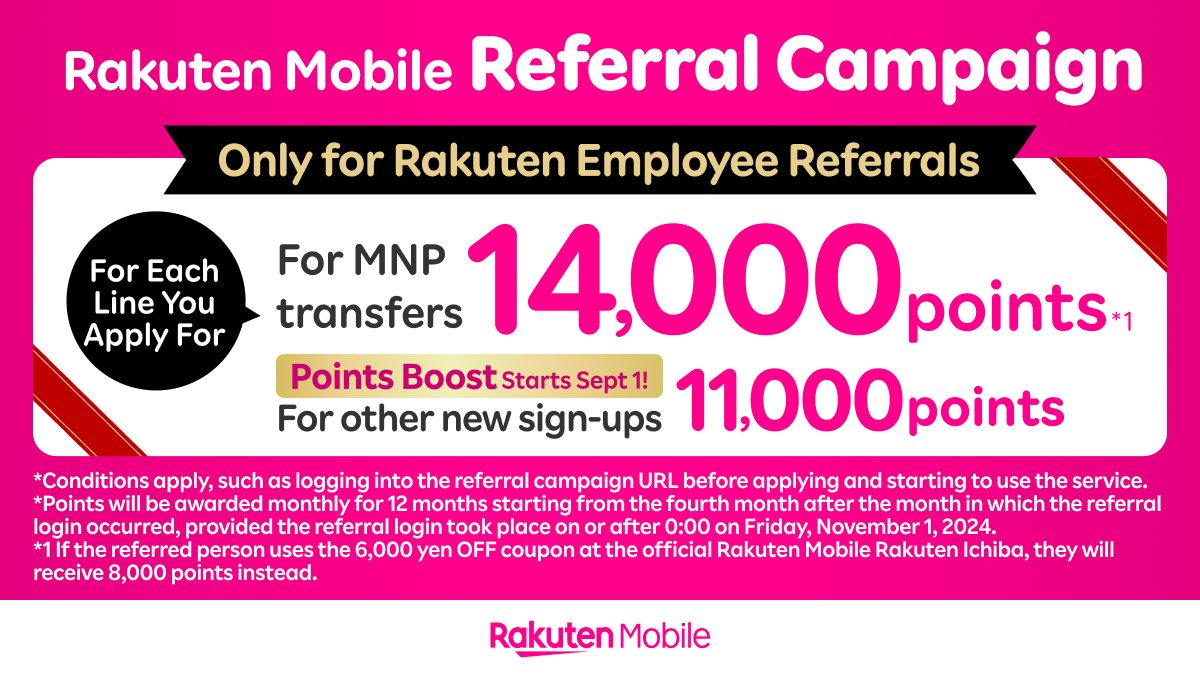
  4. Review referral before applyingIf using the employee referral, complete its required pre-application login first.

Know which application route applies?

Now check the employee referral explanation and official campaign conditions before you apply.

Check the employee referral guide

TIME-SENSITIVE INFORMATION

Recheck your document on the day you apply

Identity-verification procedures and accepted documents can change. This independent guide is not an eligibility decision and does not replace Rakuten Mobile's official instructions.

Open the official English application guide
Check the employee referral guide